

Category: Coupons & Cashback | Reading time: about 13 minutes
Coupon Code Not Working? 10 Common Reasons and Fixes
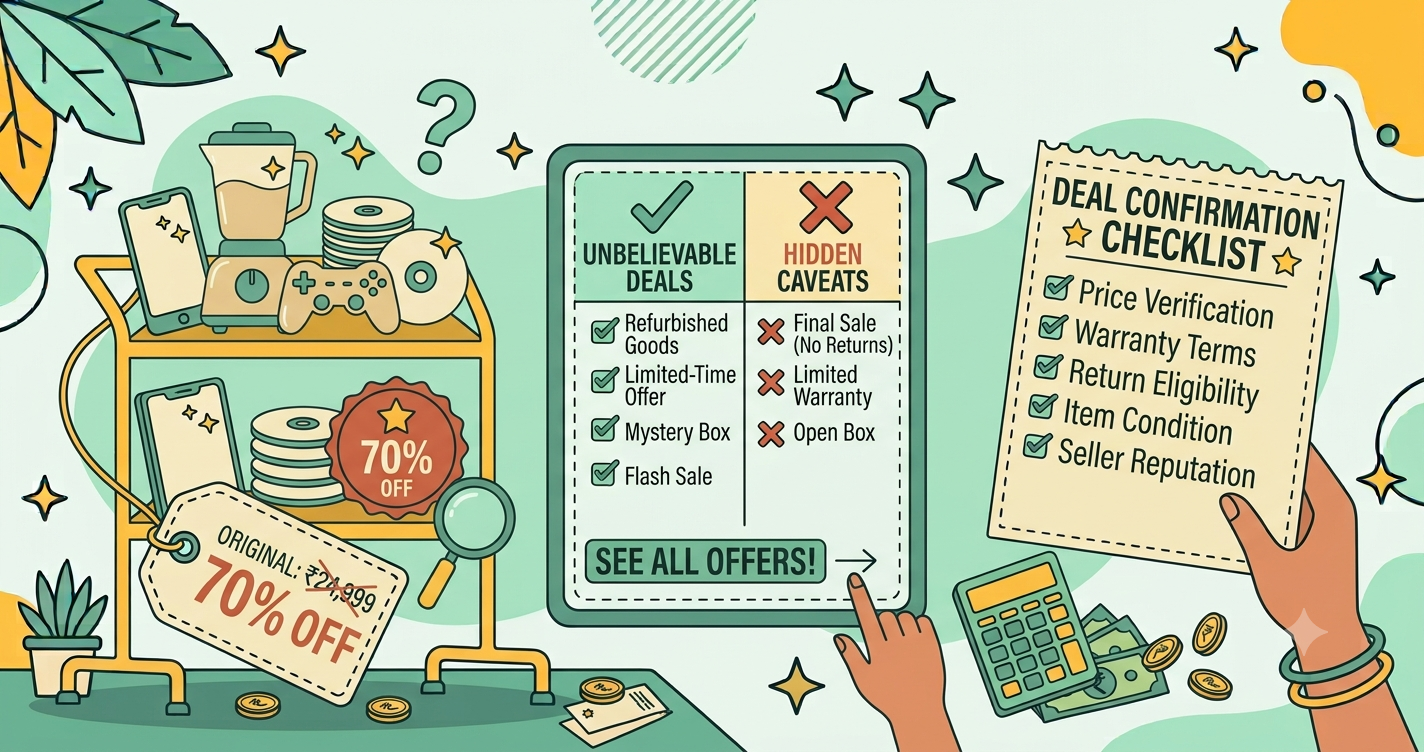
Quick answer: A coupon code usually fails because it has expired, the cart is below the minimum value, some items are excluded, the code was already used, it was typed incorrectly, or it applies only to a specific app, payment method or new account. Re-read the offer terms, check your cart total and eligible items, retype the code without spaces, and try the other platform. If it still fails, contact the store’s official support with screenshots.

You found a coupon, added items to your cart, entered the code, and watched it fail. “Invalid code.” “Not applicable.” “This offer has expired.” It is frustrating, particularly when the offer looked genuine and the sale ends today.
The good news is that failed coupons nearly always have a simple explanation. This guide walks through the ten most common reasons, shows how to check each one, and explains how to fix the problem or find a better alternative. It builds on our beginner’s guide to using coupon codes, and it will save you time during busy sale periods when every minute counts.
First, a 60-second checklist
- Read the exact wording of the offer, including the fine print.
- Check the expiry date and time.
- Check your cart total against any minimum order value.
- Confirm that your items are eligible.
- Retype the code carefully, with no extra spaces.
- Check whether the offer is for the app, the website, or both.
- Check the required payment method or account type.
If these seven checks do not reveal the problem, the ten reasons below usually will.
1. The code has expired
What happens: The system rejects the code as expired or invalid. Many codes last only days or hours, and some expire at midnight in a specific time zone.
How to fix it: Check the validity date in the original message or on the offer page. Look for a newer code in the store’s app, newsletter, or offers section. Third-party coupon lists are often out of date, so prefer official sources.
2. The cart does not meet the minimum order value
What happens: The code says “not applicable” or “minimum order not met.” Often the minimum is calculated after other discounts, so a cart that looks high enough may fall below the threshold once a sale price is applied.
How to fix it: Check whether the minimum refers to the price before or after discounts. If you are only slightly below, consider adding an item you genuinely need, but do not buy extras just to unlock a small saving. The worked examples in our coupon guide show how to calculate whether it is worth it.
3. Some items are excluded
What happens: The code works for some items but not for others, or it is rejected for the whole cart because one excluded item is present.
How to fix it: Read the exclusions list. Discounted items, certain brands, gift cards, and some categories are commonly excluded. Try removing the excluded item temporarily to see if the code works, then decide whether to buy it separately.
4. The code has already been used or reached its limit
What happens: The message says the code is no longer valid, or has been used the maximum number of times. Codes can be limited per customer or across the whole campaign.
How to fix it: If it was a one-time personal code, it cannot be reused. If a shared code hit its overall limit, look for the next promotion. Signing up for official newsletters and notifications gives you a better chance of catching codes early.
5. The code is for new customers only
What happens: The code is rejected for an existing account, phone number, email, address, or device. First order offers are strict about this.
How to fix it: Read the terms. If you are an existing customer, look for offers aimed at returning shoppers instead. Creating multiple accounts to repeat welcome offers is usually against the terms and can lead to cancelled orders. For a full explanation, see first order discounts: when to use them.
6. The code is for a specific payment method
What happens: The coupon does not apply until you choose a particular card, wallet, or UPI app on the payment page, or it disappears after you select a different method.
How to fix it: Check whether the offer needs a specific payment option. Bank and card offers behave this way, as explained in bank offers and credit card deals. Select the eligible method on the payment page and watch whether the discount appears before you confirm.
7. The code is app-only or website-only
What happens: The code works on one platform and not the other.
How to fix it: Look for “valid on app only” or “valid on website only” in the terms. Try the other platform, if you are comfortable with it, and make sure you are logged in. Download apps only from official stores.
8. Typing or formatting errors
What happens: The code is rejected as invalid even though it is correct. A common culprit is a trailing space when you copy and paste. Others include confusing the letter O with the number 0, or the letter I with the number 1, and ignoring capital letters.
How to fix it: Retype the code manually instead of pasting it. Delete any spaces at the start or end. Try both uppercase and lowercase if the system seems case-sensitive.
9. Conflicting offers or automatic discounts
What happens: The code is rejected because another discount is already applied, such as a sale price, a member discount, or an automatic cart offer. Many stores allow only one promotion at a time.
How to fix it: Compare the two options. Remove the other offer, if you can, and see which gives the lower total. For deeper strategy, read how to stack coupons, offers and cashback.
10. Technical glitches, regional limits or account problems
What happens: The code seems valid, but the checkout page fails to apply it, shows an error, or behaves differently on another device. Sometimes the offer is limited to certain locations, delivery pincodes, or account types, or the site is temporarily overloaded during a big sale.
How to fix it: Refresh the page, log out and in, clear the cart and add items again, or try a different browser or device. Check whether your delivery location is eligible. If the problem appears only during peak sale hours, try again a little later. Always make sure you are on the real store’s website, as fake lookalike sites can show errors designed to push you to a different payment link. See online shopping safety.
What to do when the coupon still will not work
- Screenshot everything. Capture the offer terms, the cart, the code you entered, and the error message.
- Contact official support. Use the help section inside the app or website, not numbers found through a search engine, which can be fake.
- Explain clearly. Give the code, the date and time, the items, and the error. Stay polite and factual.
- Ask for options. Support may offer a replacement code, a manual adjustment, or an explanation of the restriction.
- Decide whether to buy anyway. If the price is still fair, compare with other stores using how to compare prices across websites and decide. Do not buy at a worse price just because you were counting on the coupon.
A worked example (illustrative numbers)
You have a code for 200 off on orders above 1,500. Your cart contains a jacket priced 1,800 on sale from 2,400, and a pair of socks for 200. The code fails.
- You read the terms: the code excludes already discounted items and applies only to full-price items.
- Only the socks qualify, and they total 200, below the 1,500 minimum.
The fix is simply to understand the rules. The jacket is already discounted, so the coupon cannot apply. The right decision is to compare the sale price with the coupon-eligible alternatives. If the discounted jacket at 1,800 is cheaper than a full-price alternative minus 200, buy it without the code. A few minutes of reading saves you from chasing an offer that was never going to work.
Understanding the error messages
Different messages point to different problems, and reading them carefully can save time.
- “Invalid code” or “code not found.” Usually a typing error, an expired code, or a code that does not exist on this store.
- “Code expired.” The validity period has ended. Look for a newer offer.
- “Minimum order value not met.” Your cart total, after other discounts, is below the threshold.
- “Not applicable to items in your cart.” One or more items are excluded, or the offer covers a different category.
- “Already used” or “usage limit reached.” The code was single-use or the campaign limit has been reached.
- “Not valid for this account” or “new users only.” Eligibility rules are not satisfied.
- “Not valid for this payment method.” The code requires a specific card, wallet, or UPI option.
- A generic error or spinning page. Often a technical issue. Refresh, retry, or try later.
When a failed coupon is actually a good sign
It may seem odd, but sometimes a failed coupon tells you something useful. If a code does not apply to sale items, it means the sale price is the store’s best offer for that product, and you can compare it with the coupon-eligible alternatives. If a code fails because the item is already heavily discounted, the store may be selling near its lowest price. Either way, the cart total is what matters. Do not feel you have missed out simply because a code did not work; check whether the final price without the code is still fair, using price history and price comparison.
How to avoid failed coupons in future
- Read the terms before you shop, not after the code fails.
- Use codes from official sources. They are more likely to be current and valid.
- Test the code early, not at the last minute of a sale.
- Keep a list of codes with their expiry dates.
- Do not count on a coupon until the discount appears in your cart total.
- Be flexible. If one coupon fails, a bank offer, a sale price, or a different store might give you a better result.
Avoid coupon scams while troubleshooting
When a code fails, many people search for new ones, and scammers know it. Be cautious about sites that ask for payment details to “unlock” coupons, extensions that request broad access to your browsing data, and messages offering suspiciously large discounts. Never share an OTP or PIN to apply a coupon. If you are unsure about a source, skip it. A genuine store will not require anything unusual just to apply a discount.
Frequently asked questions
Why is my coupon code not working?
The most common reasons are that the code has expired, your cart is below the minimum value, items are excluded, the code was already used, or the code was typed with an extra space or wrong character.
Why does my coupon say invalid or not applicable?
Invalid usually means expired or mistyped. Not applicable usually means your cart, account, payment method, or items do not meet the offer’s conditions.
Can I get a code reactivated?
Sometimes. Contact the store’s support through official channels, explain the issue, and share screenshots. Support may offer a replacement code or manual discount, but it is not guaranteed.
Why did my coupon work in the app but not on the website?
Some codes are valid only on one platform. Check the offer terms for app-only or website-only restrictions.
Is it safe to try many coupon codes from random sites?
Trying codes is harmless, but be careful with sites that ask for payment details or install extensions with broad permissions. Prefer official sources.
Final thoughts
A coupon that does not work is rarely a mystery. It is almost always a condition you have not yet met, a small typing issue, or an offer that was never meant for your cart. Run through the checklist, read the terms, and confirm the discount appears before you commit to paying. If it does not, there is usually a different offer or a fair price elsewhere. Staying calm, instead of rushing in a sale, is the habit that saves you the most.

One thought on “Coupon Code Not Working? 10 Common Reasons and Fixes | Deal Fyndr”