How to Use Coupon Codes: A Beginner’s Guide to Saving Online
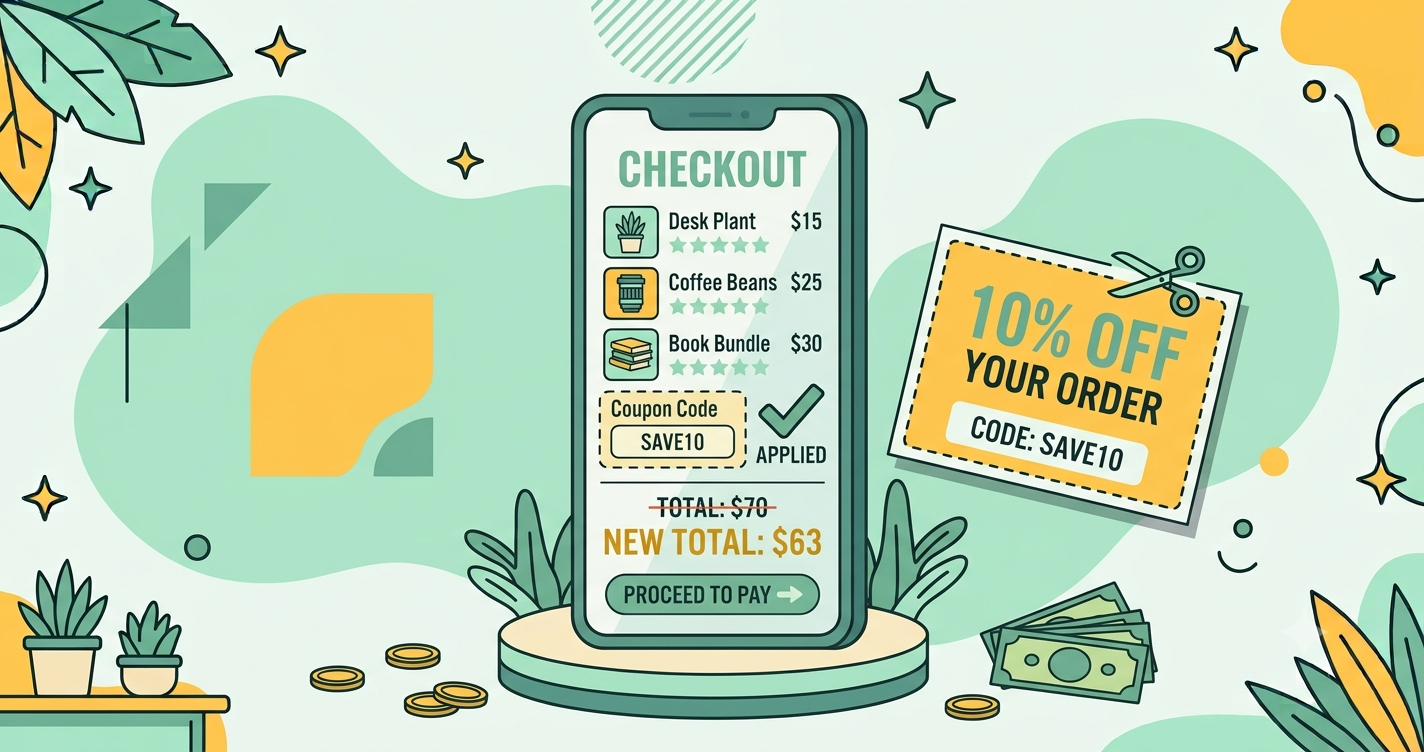
Quick answer: A coupon code is a short code you type or select at checkout to reduce your total, get free delivery, or unlock another benefit. To use one successfully, find it from an official source, check its conditions such as minimum order value and expiry date, add eligible items to your cart, enter the code exactly as written, and confirm that the discount appears in your order summary before you pay.
Coupon codes are one of the oldest tools in a shopper’s kit, and they still work. A well-chosen code can reduce an order by a meaningful amount, or turn delivery from a cost into a freebie. But they also frustrate people. Codes fail, expire, or apply only to certain items, and the internet is full of lists that look helpful but are out of date.
This beginner’s guide explains how coupon codes work, the different types, where to find genuine ones, how to apply them correctly, what to do when they fail, and how to avoid fake coupon traps. Along the way, you will see how coupons fit into the wider picture of how online deals work and how to measure the real value of a discount using the methods in comparing prices across websites.
What is a coupon code?
A coupon code, also called a promo code or voucher code, is a text string that a store recognises as a promotion. You enter it at checkout, and the system applies a benefit if your order meets the conditions. The benefit may be a percentage discount, a flat amount off, free shipping, a free gift, or a special price on a particular item.
Stores use coupons for several reasons: to attract new customers, to encourage repeat purchases, to clear stock, to reward loyalty, or to measure which marketing channel works best. A code distributed through a newsletter, for example, helps the store track how many orders came from that newsletter.
Types of coupon codes
Percentage-off codes
These reduce your total by a percentage, such as 10% off. They often have a maximum discount limit, so a 20% code might be capped at 300 no matter how large your order is.
Flat-amount codes
These subtract a fixed sum, such as 150 off. They usually require a minimum order value, for example 999.
Free shipping codes
These remove delivery charges. Their value depends on how much shipping would have cost, so they are most useful on small orders or in stores with high delivery fees.
First-order or new-user codes
Designed to win new customers, these codes are often generous but can only be used once per account, phone number, or device. See first order discounts: when to use them.
Category or brand-specific codes
These apply only to certain product types or brands. A fashion code may exclude electronics and discounted items.
Buy-one-get-one and bundle codes
These give a free or discounted item when you buy a certain quantity or combination.
Payment-method codes
Some codes work only with specific cards, wallets, or UPI apps. They overlap with bank offers, which we explain in bank offers and credit card deals.
Referral codes
These are shared by existing customers with friends. Both sides may receive a benefit. Learn more in how referral programs work.
Where to find genuine coupon codes
The most reliable codes come from official sources. Start here:
- The store’s app and website. Many stores list available coupons in the cart or in an “offers” section. Some are applied automatically.
- Official email and SMS newsletters. Signing up often gives a welcome code and ongoing offers. Use a separate email address if you want to avoid inbox clutter.
- Order confirmation and delivery emails. Stores often include a code for your next purchase.
- Bank and card offer pages. Your bank’s website or app lists partner discounts.
- Official social media accounts. Brands announce time-limited codes there. Check that the account is verified or clearly the official one.
- Loyalty and rewards programs. Points can be redeemed for vouchers, as shown in loyalty points and rewards.
- Reputable coupon and cashback sites. They can be useful, but their codes may be outdated, so test them and read the conditions.
How to apply a coupon code, step by step
- Read the conditions first. Look for minimum order value, validity dates, excluded categories, and whether the code is limited to the app or website.
- Add eligible items to your cart. Make sure the total meets the minimum, but do not add things you do not need just to reach it.
- Proceed to checkout. Find the field labelled “Coupon,” “Promo code,” or “Apply voucher.”
- Enter the code exactly. Check for capital letters, hyphens, and extra spaces. Copying and pasting often causes a trailing space that makes the code fail, so delete any space at the end.
- Press Apply and confirm that the discount appears in the order summary.
- Review the final total including delivery, fees, and taxes before paying.
- Save a screenshot of the applied coupon and total in case there is a dispute later.
Why coupon codes fail
When a code does not work, it is usually for one of the following reasons. Our dedicated guide, coupon not working? 10 common reasons and fixes, goes deeper, but here is a quick summary.
- Expired code. Many codes last only days or hours.
- Minimum order value not met. The cart total may be below the required amount, or it may drop below after a discount is applied.
- Excluded items. Discounted, branded, or certain category items are often excluded.
- Usage limit reached. A code may be valid for a limited number of uses overall or per customer.
- Account or device restrictions. New-user codes will not work on an existing account.
- Payment method requirement. The code may require a particular card or wallet.
- App-only or website-only. Some codes work only on one platform.
- Typing errors. Extra spaces or incorrect characters are common culprits.
- Conflicting offers. Some stores do not allow codes on top of other discounts.
A worked example
These numbers are for illustration only. You want a pair of shoes priced at 2,400, and you find two options:
- Code A: 15% off, maximum discount 250, minimum order 1,999.
- Code B: flat 300 off on orders above 2,499.
Code A would give 15% of 2,400, which is 360, but it is capped at 250, so you save 250 and pay 2,150. Code B does not apply, because your cart is below 2,499. Adding a 99 accessory to reach 2,499 would give you 300 off, but you would then pay 2,499 + 0 − 300 = 2,199 for both items. That is more than the 2,150 you pay with Code A for the shoes alone, and you bought something you did not need. The better choice is Code A.
This kind of arithmetic takes a minute and prevents you from chasing a bigger discount by overspending. The principle is the same as in evaluating any deal: judge the effective price, not the headline.
Smart habits for using coupons
- Check before you pay. Open your cart and look for available offers, even if you have no code in mind.
- Compare coupon value with other savings. A bank offer or cashback may beat a coupon, or may stack with it. See how to stack coupons, offers and cashback.
- Do not buy to reach a minimum. Spending extra to unlock a discount is often a net loss.
- Time your purchase. Coupons are often stronger during sale events. Plan with our festive sale shopping guide.
- Keep a record. Note codes you receive and their expiry dates so you can use them before they lapse.
- Read the return terms. If you return an item, the coupon benefit may be reduced from your refund. See return and refund policies explained.
Coupon scams and risks to avoid
Because everyone loves a discount, coupons attract scammers. Watch out for these:
- “Free” gift cards or huge vouchers shared via messages. These often lead to phishing pages. Do not click unfamiliar links.
- Coupon sites that ask for payment details or passwords. A genuine coupon site never needs them.
- Browser extensions with excessive permissions. Install only well-reviewed extensions from official stores, and read what data they can access.
- Fake brand pages offering exclusive codes for a fee. Genuine codes are free.
- Survey or giveaway traps. Offers that require personal data to “unlock” a code are usually data collection schemes.
For broader protection, read our online shopping safety guide.
Coupons versus automatic discounts and sales
Not every saving requires a code. Many stores apply automatic discounts in the cart or show a lower sale price directly. When a code is offered on top of a sale, it may not stack, so compare both ways. A sale price without a code can sometimes beat a regular price with a code. Always compare the final totals, and use price history, as explained in price history tracking, to check whether the underlying price is fair.
How stores decide who gets which coupon
You may notice that you and a friend are offered different codes for the same store. This is deliberate. Stores segment customers by behaviour. A new visitor may see a welcome code, a customer who abandoned a cart may receive a reminder with a small discount, and a loyal shopper may get early access to a sale. Some codes are generated individually and work only once for a single account.
This has a practical consequence. If a store emails you a personal code, use it before it expires, because it will not be repeated. If you are about to buy something expensive, it can be worth checking whether the store offers a discount for signing up to its newsletter, since that welcome code may be larger than anything on public coupon lists. The aim is not to game the store but to use the offers it already intends for customers like you.
Coupons for big and small purchases
Percentage codes matter most on large orders, because even a modest percentage becomes a significant amount. On small orders, free shipping or a flat discount is often more valuable. Before you decide which code to use, calculate the rupee value of each, as in the worked example above. For essentials such as groceries, coupon value is usually small per order but adds up over time, which is why habits such as checking offers before every checkout can matter more than chasing one big code. You can see how this works in how to save money on online groceries.
A simple coupon checklist
- Is the code from an official or reputable source?
- Have I read the conditions and expiry date?
- Does my cart meet the minimum without needless extras?
- Did I enter the code exactly, with no extra spaces?
- Does the final total show the discount?
- Have I compared it with other offers and cashback?
- Did I save a screenshot of the applied coupon?
Frequently asked questions
What is a coupon code?
A coupon code is a short combination of letters and numbers that you enter at checkout to get a discount, free shipping, or another benefit on your order.
Where can I find genuine coupon codes?
Look in the store’s own app and website, official newsletters, order confirmation emails, bank or card offer pages, and the brand’s official social media accounts.
Why is my coupon code not working?
Common reasons are expiry, a minimum order value, excluded items, a limit on uses, a required payment method, or typing errors such as extra spaces.
Can I use more than one coupon on an order?
Usually only one coupon code can be applied per order, though you may combine it with automatic discounts, bank offers, or cashback depending on the store’s rules.
Are coupon websites and browser extensions safe?
Many are, but some show expired codes or collect more data than needed. Use reputable ones, read permissions, and never enter payment details on a coupon site.
Final thoughts
Coupon codes are simple tools that reward a little attention. Start with official sources, read the conditions, enter the code carefully, and check the final total. Avoid the temptation to spend more just to qualify, and be wary of any site that promises unusually large rewards. With these habits, coupons become a steady source of savings rather than a source of frustration, and they combine well with the other techniques in this series, from price comparison to cashback.
Keep reading