
Category: Smart Buying | Reading time: about 16 minutes
What to Check Before Buying a Smart TV: A Complete Guide
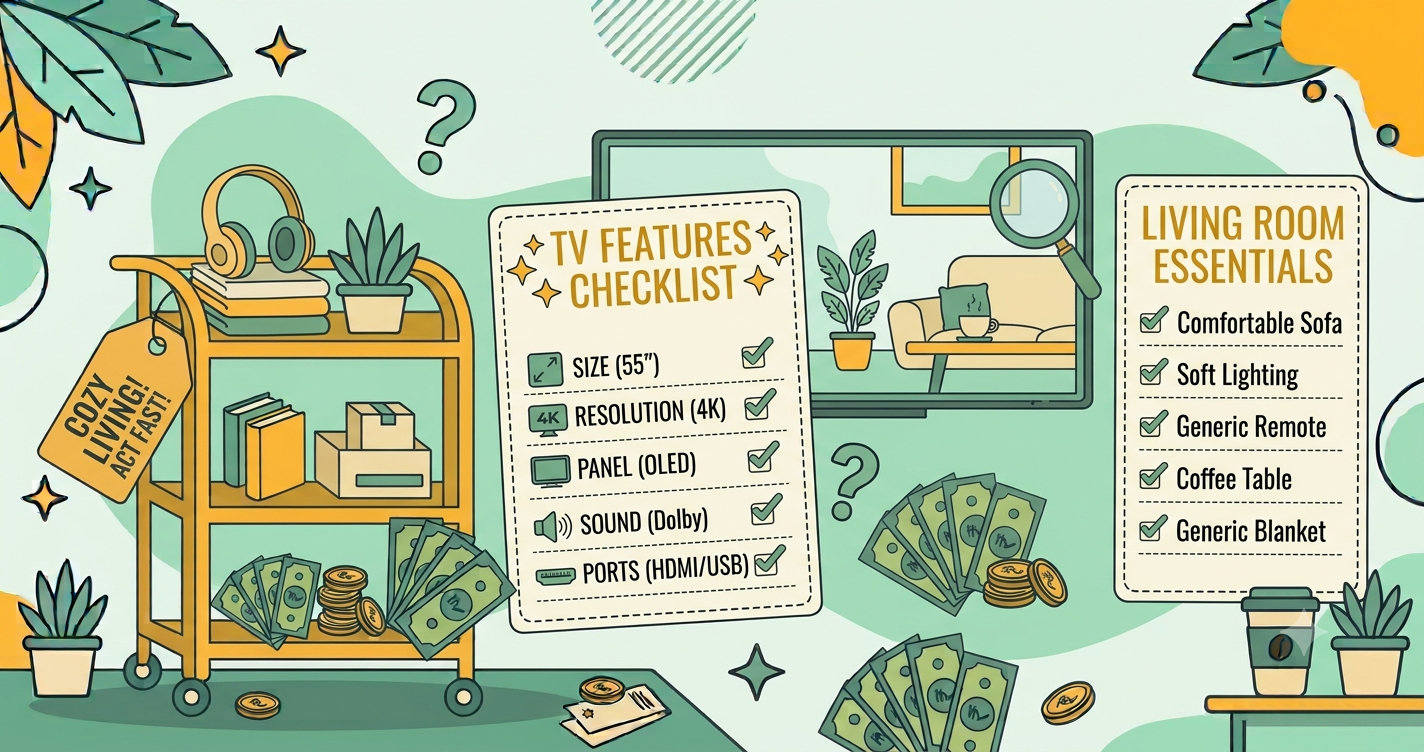
Quick answer: Before buying a smart TV, decide your room size and viewing distance, choose a screen size and resolution to match, then compare panel type, brightness, contrast, HDR support, refresh rate, sound, smart platform, and ports. Read independent reviews, check price history and the effective price after offers, and confirm warranty, installation, and return terms. Do not choose by discount percentage or marketing labels alone.

A television is often the centre of a living room, and it is likely to stay with you for many years. It is also one of the products where discounts, labels, and technical terms can confuse buyers the most. “QLED,” “Mini LED,” “HDR10,” “120 Hz,” and “Dolby” appear on boxes and banners, often with bold claims and little explanation.
This guide breaks down what each term means, which features matter for different kinds of viewers, how to compare deals, and what to check on warranty and installation. It avoids naming specific models, since lineups change often, and instead gives you a method to judge any TV. It builds on the best time to buy electronics, price history tracking, and how to compare prices across websites.
Step 1: Measure your room and plan your viewing distance
The best TV size depends on how far you sit from the screen. A TV that is too small makes details hard to see, and one that is too large for the room can feel overwhelming and strain your eyes. As a simple method:
- Measure the distance from your main seat to the TV position.
- Use a viewing-distance guide, which many manufacturers and reviewers provide, to find a comfortable size range. Higher resolution TVs allow you to sit closer without seeing individual pixels.
- Measure the available space, including width, height, and depth, and check that the TV will fit through doorways and in the lift or stairs.
- Decide whether you will wall-mount or use a stand, and measure accordingly.
If you are between two sizes and your budget allows, many people prefer the larger one, since it is hard to regret extra screen once you are used to it. But comfort and room fit come first.
Step 2: Choose the resolution
- HD and Full HD are fine for small screens in small rooms, and for basic viewing.
- 4K (Ultra HD) is the common choice for most sizes today, and much streaming and gaming content supports it. It often costs only slightly more than Full HD at mid-size and larger sizes.
- 8K is very expensive and has little native content. For most viewers it is not worth the cost.
Resolution is only part of picture quality. A well-made 4K panel with good contrast can look better than a poorly made one with more advertised features.
Step 3: Understand panel types
LED (LCD with LED backlight)
This is the most common and affordable type. A backlight shines through an LCD panel. Quality varies widely, and factors such as the backlight design and local dimming affect contrast.
QLED and quantum dot TVs
These are LCD TVs with an added quantum dot layer, which improves colour brightness and range. The name does not mean the pixels produce their own light. They can be bright and vibrant, which suits well-lit rooms.
Mini LED
These use many tiny backlight LEDs for better local dimming and contrast than standard LED backlights. They can come close to OLED-like contrast in bright scenes, usually at a higher price.
OLED
Each pixel emits its own light, giving deep blacks, strong contrast, and wide viewing angles. OLEDs are popular for movie watching in darker rooms, but they tend to cost more, and very bright rooms or static images over long periods need consideration.
VA and IPS panels
Within LCD TVs, these are two common panel types. VA panels usually offer better contrast but narrower viewing angles. IPS panels offer wider viewing angles but weaker contrast. If you watch from the side often, such as in a wide living room, viewing angles matter.
Step 4: Look at brightness, contrast, and HDR
Brightness and contrast shape how realistic and punchy the picture looks. HDR, or high dynamic range, expands the difference between bright and dark parts of an image, but it only works well when the TV is bright enough and has good contrast. Many budget TVs list HDR support, but their screens cannot show it effectively. Look for independent measurements of brightness and contrast in reviews, and be aware of the formats supported, such as common HDR standards and advanced formats. If your streaming apps and devices support a format, make sure the TV does too.
Step 5: Consider refresh rate and motion
Refresh rate measures how many times per second the screen updates. A higher refresh rate helps with fast action in sports and gaming. Many TVs advertise “effective” or “motion” rates that are not the same as the real panel rate, so check the native refresh rate in reviews. For general watching, a standard rate is fine. For gaming, look for support for features such as a high refresh rate, low input lag, and variable refresh rate, particularly if you own a modern console or gaming PC.
Step 6: Check sound quality
Thin TVs often have modest speakers. If you care about sound, consider the speaker configuration and power, support for common audio formats, and the ability to connect a soundbar or home theatre system. Many people find that a separate soundbar improves dialogue and movies noticeably. If you plan to add one, check the audio output options, such as HDMI ARC or eARC, optical, or Bluetooth.
Step 7: Evaluate the smart platform
A smart TV is a computer too, so the software matters. Check:
- The operating system and its ease of use.
- Which streaming apps are available, including your favourites.
- How long the TV is likely to receive updates.
- Whether the interface is fast on the TV’s processor, since some budget models feel sluggish.
- Voice assistant support and remote quality.
- Privacy settings, since smart TVs may collect viewing data. Review and adjust them after setup.
If the built-in software is weak, a separate streaming device can be a flexible solution, so make sure the TV has the right ports.
Step 8: Check ports and connectivity
Count the devices you will connect, such as a set-top box, console, soundbar, and streaming stick. Check:
- The number and version of HDMI ports, and whether they support features you need for gaming or advanced audio.
- USB ports for media and storage.
- Wi-Fi and Bluetooth standards, and an Ethernet port if you prefer a wired connection.
- Antenna and cable inputs if you watch broadcast channels.
- Audio outputs for external speakers.
Step 9: Look at design and installation
- Stand position and width. Some stands are wide, and some have feet at the edges that need a wider table.
- Wall mounting. Check the mounting pattern and weight, and whether the mount is included or sold separately.
- Bezel and finish. Thin bezels look modern, but reflective screens can be distracting in bright rooms.
- Installation service. Confirm whether installation is free, when it will be scheduled, and what it includes.
A worked example (illustrative numbers)
A family wants a TV for a medium living room with a sofa about three metres from the wall. They watch streaming shows, cricket, and some movies, and have a moderate budget of 45,000. They shortlist three TVs, labelled A, B, and C.
- TV A: 43,000, mid-size 4K, good brightness, decent sound, a smooth interface, four years of expected updates.
- TV B: 38,000, larger screen, weaker brightness, slower interface, fewer ports.
- TV C: 52,000 list price, with a bank offer of 4,000 and exchange of 2,000, so about 46,000 effective, with excellent contrast and strong sound.
For their needs and budget, TV A is the best fit. TV B is cheaper but compromises on brightness, speed, and ports. TV C is better but slightly beyond budget, unless they value its picture quality highly. The list price alone would have favoured TV B, and the discount percentage on TV C could have been tempting. The effective price and real needs lead to a clearer choice. These numbers are illustrative, but the method works for any TV.
Comparing deals and timing
TV prices drop at predictable times: major festive sales, brand events, holiday sales, and when new-year models arrive. Check price history to see how your model behaved earlier, and set a target price. Compare the effective price across authorised sellers, including bank offers, exchanges, and cashback. See bank offers and credit card deals and how to stack coupons, offers and cashback. For seasonal strategy, read how to shop smart during Diwali sales and Black Friday sales in India.
Warranty, service, and returns
- Warranty length and coverage. Check what is covered, particularly the panel, which is the most expensive part.
- Service network. Confirm that service is available in your area and how repairs are handled.
- Authorised seller. Buy from authorised sellers to keep the warranty valid.
- Extended warranty. Read the terms and cost. See is an extended warranty worth it?.
- Delivery and damage. Inspect the TV before accepting delivery, and record unboxing for large items. Report damage immediately.
- Return policy. Large items may have stricter terms. See return and refund policies explained.
Discount traps to avoid
Huge percentage discounts from high list prices
A “50% off” tag may be measured against an inflated price. Compare with price history and other sellers. See MRP vs selling price and 12 ways to spot a fake discount.
Feature stuffing
Some TVs list many features, such as HDR formats or high motion numbers, that the hardware cannot use well. Rely on independent tests.
Mismatched models
Sale models may differ slightly from regular retail models, with lower-spec panels or fewer ports. Check the exact model number.
Exchange bonuses that are not guaranteed
Exchange offers show the maximum value, and the actual amount depends on your old TV’s condition.
Bundles you do not need
Free accessories or subscriptions may not be useful. Count only what you will use.
Unverified sellers and fake offers
Large TVs are expensive targets for scams. Read online shopping safety.
After you buy: setup and care
- Update the software, and review privacy and data-sharing settings.
- Choose picture settings that suit your room, since default modes are often too bright or over-processed.
- Set up your sound system, and test inputs.
- Keep ventilation space around the TV to avoid overheating.
- Clean the screen gently with a soft, dry cloth, and avoid harsh cleaners.
- Keep the invoice, warranty card, and box until the return window ends.
Frequently asked questions
What size smart TV should I buy?
It depends on your room and viewing distance. As a rough guide, you can sit closer to a higher resolution TV, but the screen should fit comfortably in your field of view without making your eyes work too hard.
Is 4K necessary?
For larger screens and modern content, 4K is the common choice and often costs little more than lower resolutions. For small screens in small rooms, the difference is less noticeable.
What is the difference between LED, QLED and OLED?
LED TVs use a backlight behind an LCD panel. QLED adds a quantum dot layer to an LCD for better colour. OLED pixels produce their own light, giving deep blacks and strong contrast, usually at a higher price.
Does refresh rate matter?
A higher refresh rate helps with fast motion, such as sports and gaming. For general viewing, standard rates are fine. Check real reviews, since advertised motion numbers can be misleading.
Should I buy a TV during a sale?
Often yes, since TV prices drop during big sales and model changeovers. Check price history, compare the effective price, and confirm warranty and installation terms.
Final thoughts
The best television is the one that suits your room, your viewing habits, and your budget, and is backed by good support. Measure your space, choose the right size and resolution, look past marketing labels to real picture and sound quality, and compare effective prices on authorised sellers. Check warranty, installation, and return terms before you pay. Do that, and you will bring home a TV that you enjoy for years, regardless of what the sale banner says.


One thought on “What to Check Before Buying a Smart TV: A Complete Guide | Deal Fyndr”